A simple, personal reading list powered by Are.na
Booklet is a tiny app for your phone that saves your books to channels in your own Are.na account, so there’s nothing new to sign up for.
It’s free and open source, and it works fine with a free Are.na account.
What it does
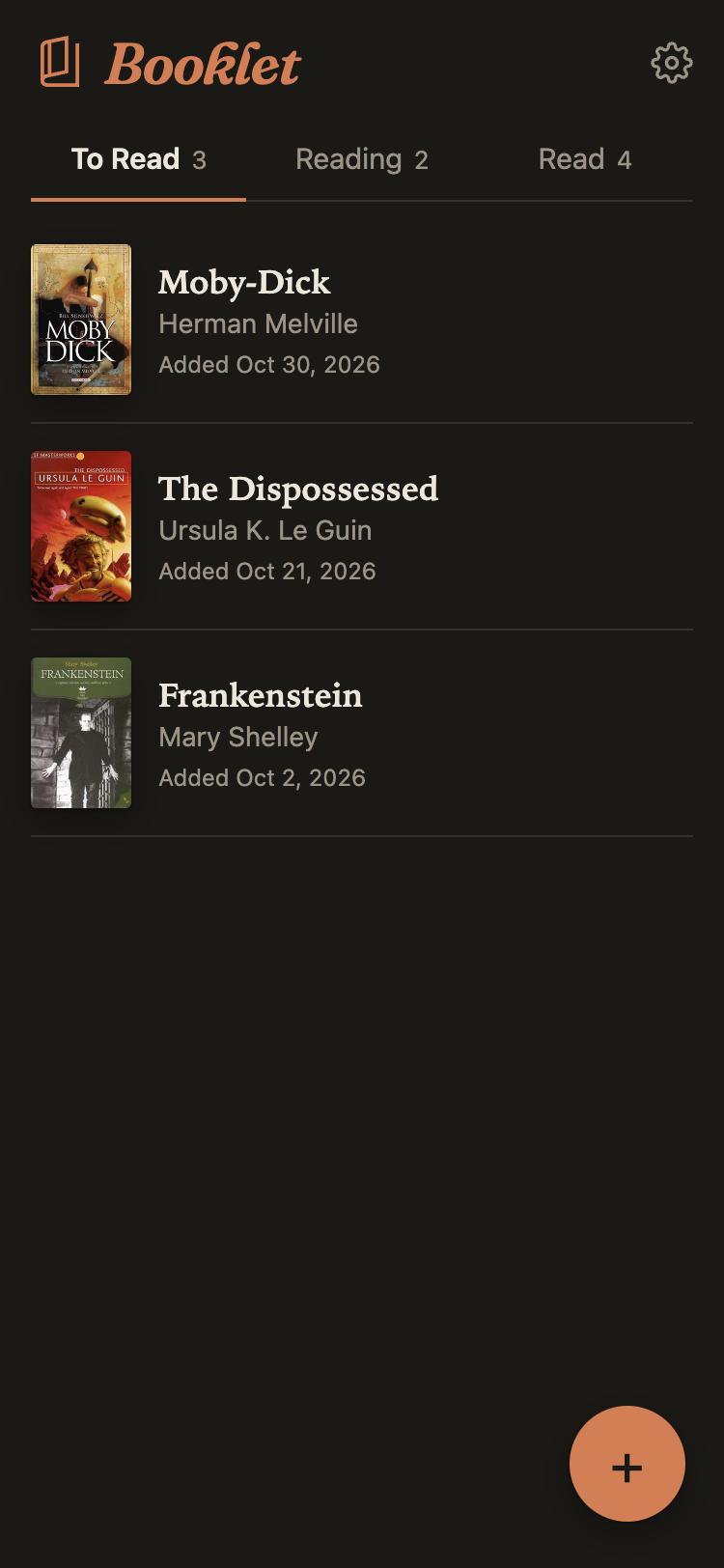
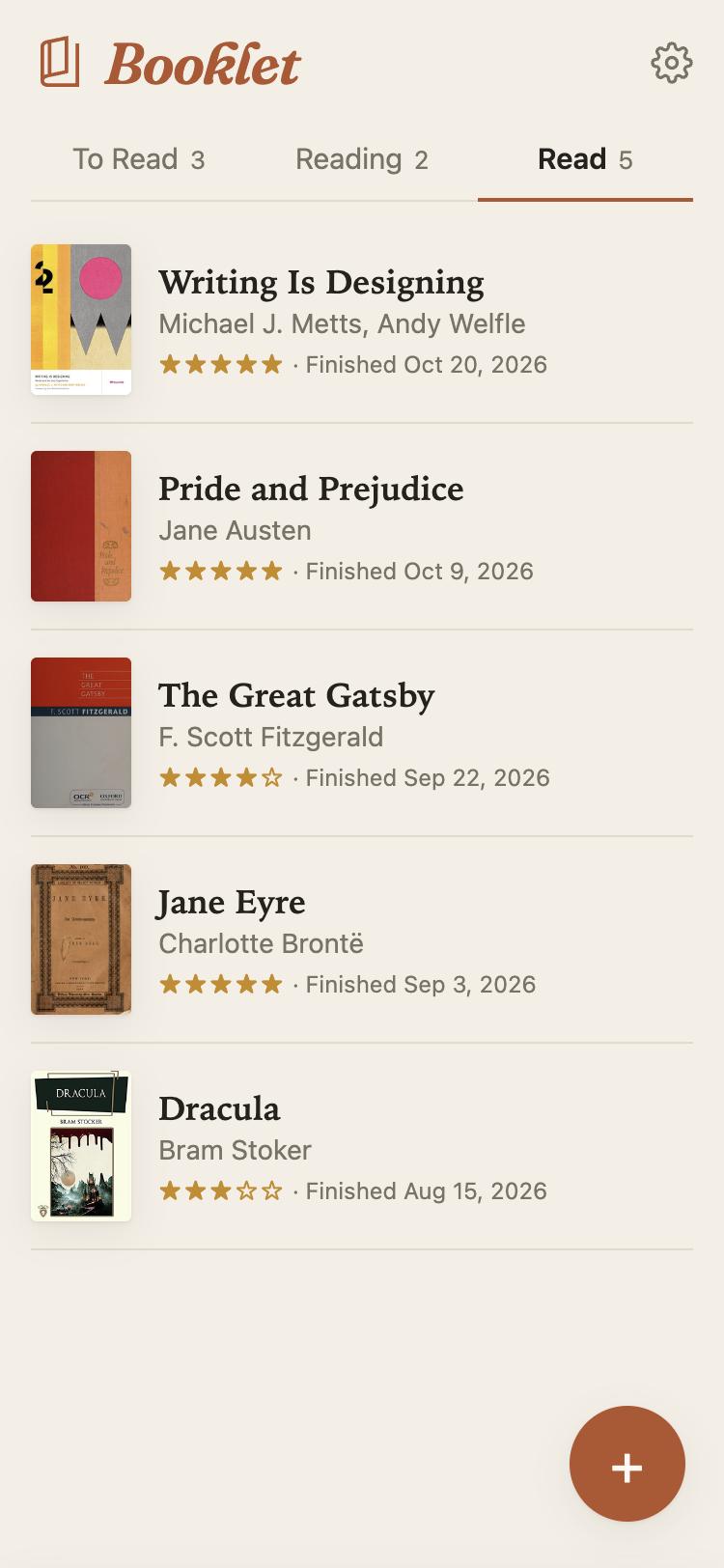
Booklet lets you keep track of your reading list — your To Read list, what you’re currently reading, and what you have already read.
Three shelves
To Read, Reading and Read. Moving a book to the next shelf takes one tap, and Booklet writes down the date.
Search that finds things
It searches Open Library, and Google Books too if you set that up, so it can find a book that came out last week, and it doesn’t mind a typo or two.
Covers and details
Pick a book and Booklet fills in the cover, author, publisher and page count for you, so your shelves look nice on Are.na, too.
Ratings and dates
Give a book some stars when you finish it. Forgot to mark when you started? You can fix the date later.
On your home screen
Add it to your phone’s home screen and it opens like any other app. It does dark mode, too.
It stays on Are.na
Each book is a block in your own channels. There’s no Booklet server, and your Are.na token never leaves your phone.
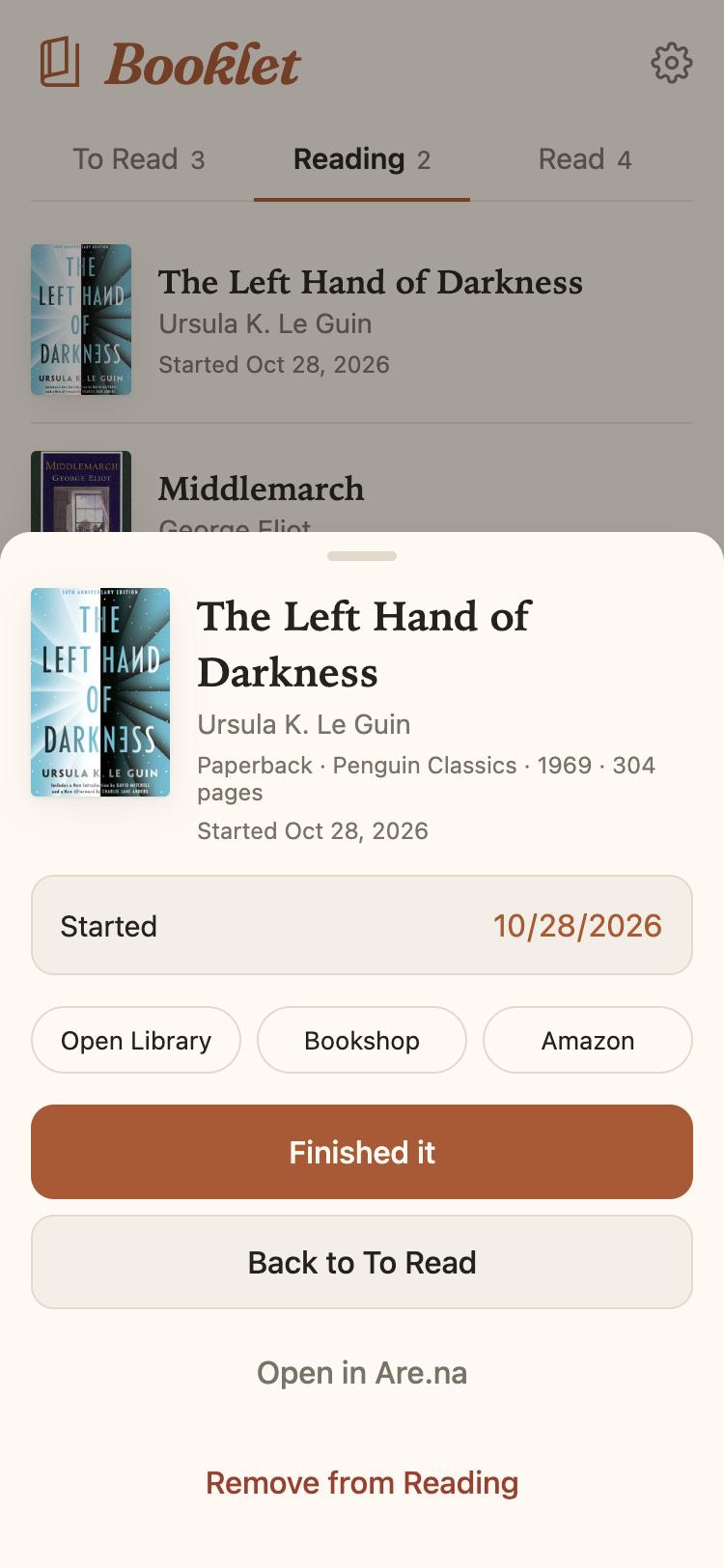
A closer look at a book
Tap any book to see which edition you saved and when you started it, along with links if you want to read more about it or buy a copy.
- Links to Bookshop, Open Library and Amazon, plus Google Books if you’ve added a Google Books key (it’s optional, and takes a few extra minutes to set up)
- “Finished it” asks how many stars it gets, and “Reading it again” starts the clock over
- Since it’s all on Are.na, you can connect any book to your other channels
Setting it up
Booklet isn’t a hosted service — you run your own copy. That’s free on Netlify, GitHub Pages or pretty much anywhere that serves web pages. The README has the details, but here’s the short version:
Make your own copy
Fork the repo and deploy it. There’s a “Deploy to Netlify” button, and nothing to build.
Get an Are.na token
Make a personal access token with write access in your Are.na settings.
Make your shelves
Open your copy, paste in the token and tap “Create my shelves.” Then add it to your home screen.
Questions you might have
What is Are.na?
Are.na is a place to collect things you find — links, images, text and files — and organize them into collections called channels. There are no ads. Booklet keeps your books in a few of your channels.
Do I need Are.na Premium?
Nope. Booklet doesn’t use any Premium-only features. Free accounts can make fewer requests per minute, but a reading list doesn’t come anywhere near the limit.
Does it cost anything?
No. Booklet is free and open source, and most places that host static sites are free, too.
Where does my stuff go?
Into your Are.na channels. The only things Booklet keeps on your phone are your token and which channels are your shelves.
Is this an Are.na thing?
No. It’s an independent project that uses Are.na’s public API.
Is this vibe coded?
Pretty much, yes. I designed it and decided how everything should work, and an AI (Claude) wrote the code at my direction. It has automated tests and has been through a code review, but you should know where it came from.
Why I made this
Hi! I’m Andy. I wanted a quick, low-fuss way to keep my reading list that wasn’t a social network, and Are.na felt like a nice place for it to live. So I built one.
If you try it and something’s off, open an issue or drop me a line.